
Notion builds software to help you create beautiful tools for your life’s work. We aspire to provide just the right building blocks, which you can combine and recombine to make everything from simple notes to checklists to powerful software. We’ve created these blocks over many years, and along the way we’ve created a bit of inconsistency: Different blocks have their own spacing and other details. In recent months, we decided to revisit our page designs and apply our design rules to them more consistently.
The task seemed pretty straightforward: Examine each block and update the spacing, margins, and padding so that they could fall into a predictable flow in any configuration. Of course, we encountered some challenges along the way.
Rhythm
Traditionally, designers achieve a sense of rhythm for text on a page by “baseline aligning” the rows of text. This dates back to mechanical typesetting, when metal letters would be set on shelves, in rows, and each shelf was spaced consistently using strips of lead. This gave text a sense of structure and our eyes something to latch onto when reading.
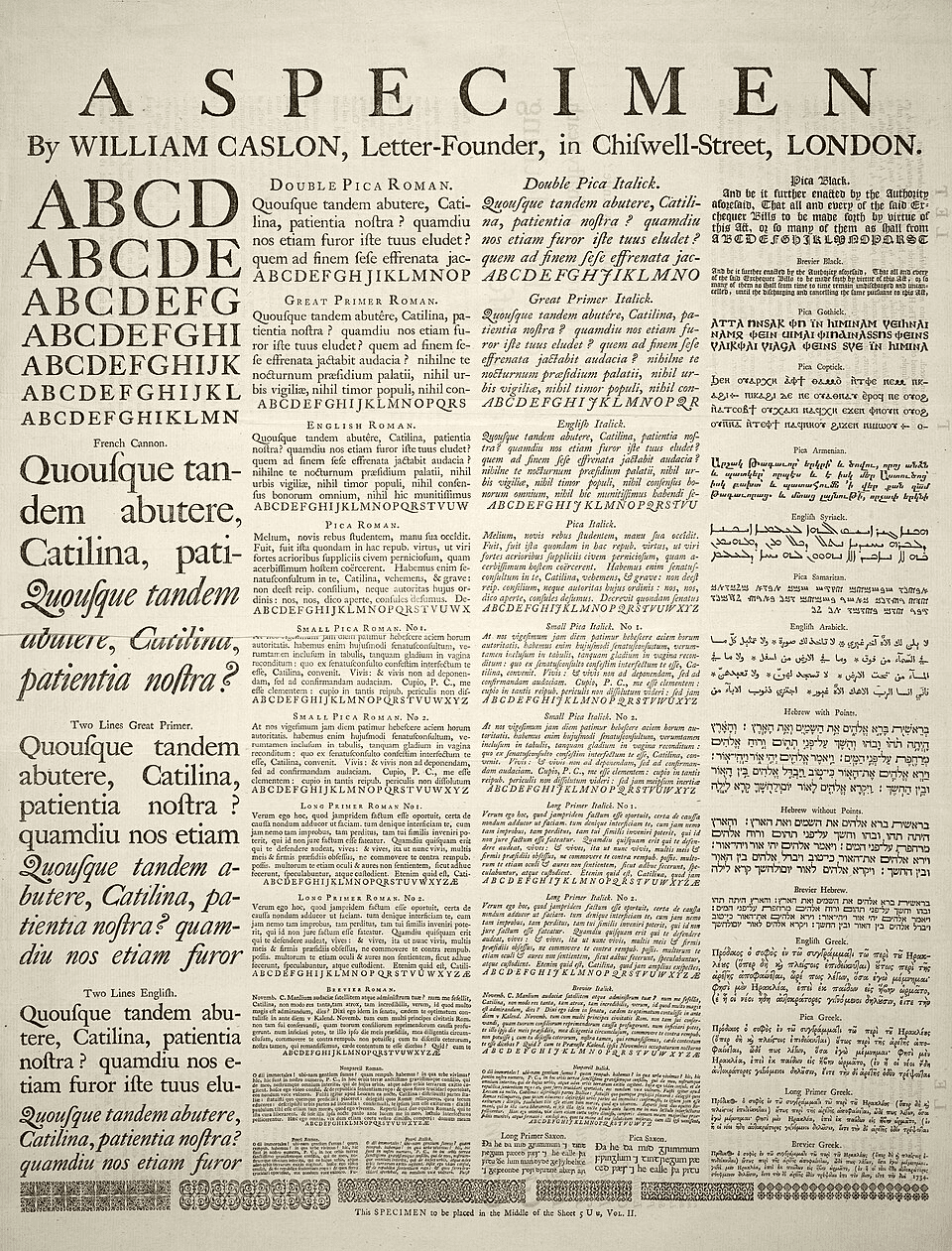
Content on the web is displayed across countless browsers, screen resolutions, operating systems, and user preferences. This makes baseline alignment difficult. In Notion, where blocks have a variety of heights which are often controlled by the user, it's even harder.
Instead of baseline alignment, we opted to start with standardized spacings. This ensures a feeling of rhythm while allowing for a great deal more flexibility. Nothing is aligned to the baseline, but elements generally fall in line while remaining flexible enough for web display. It looks natural and reads with comfortable ease:
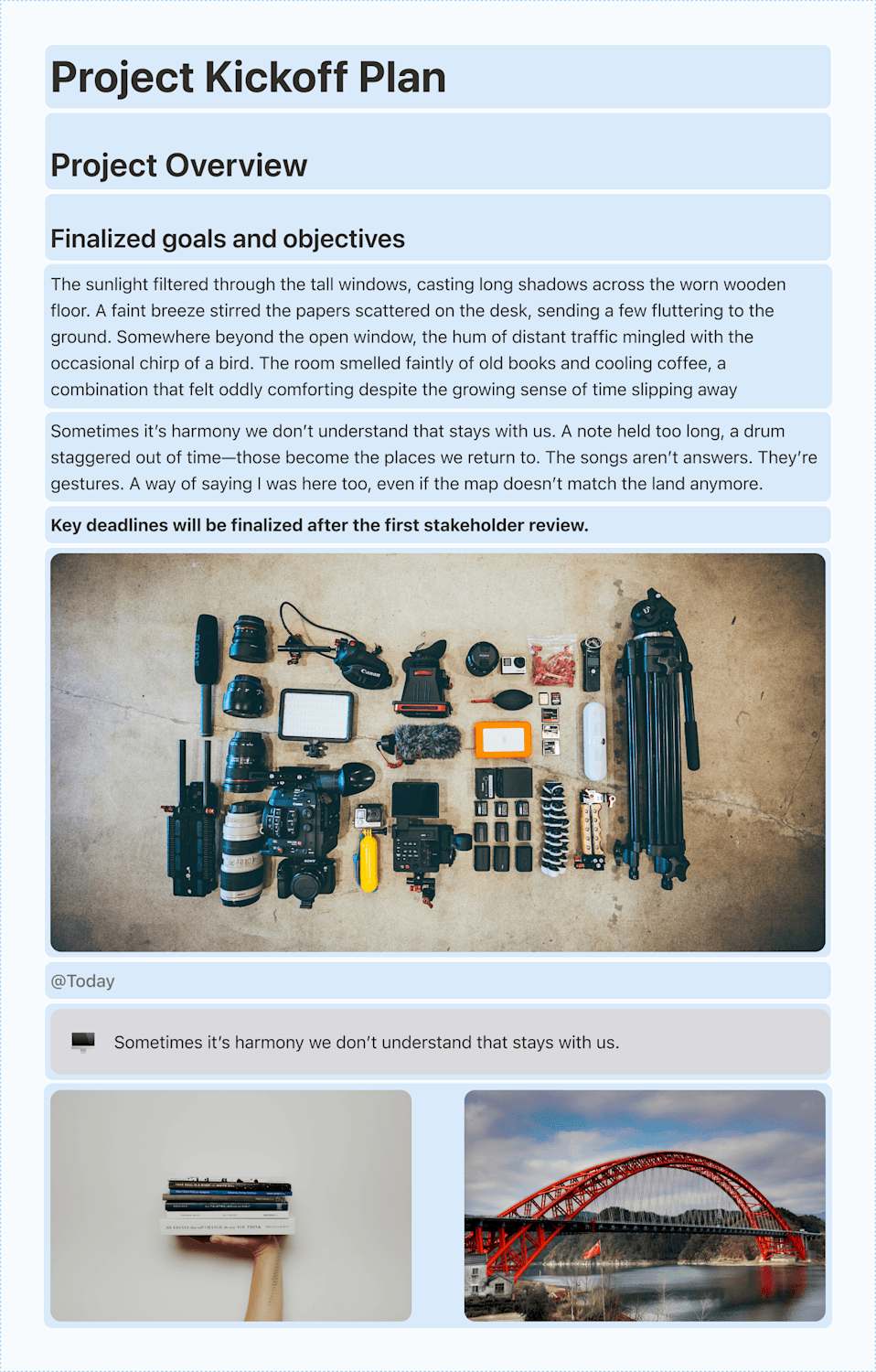
Paragraph spacing
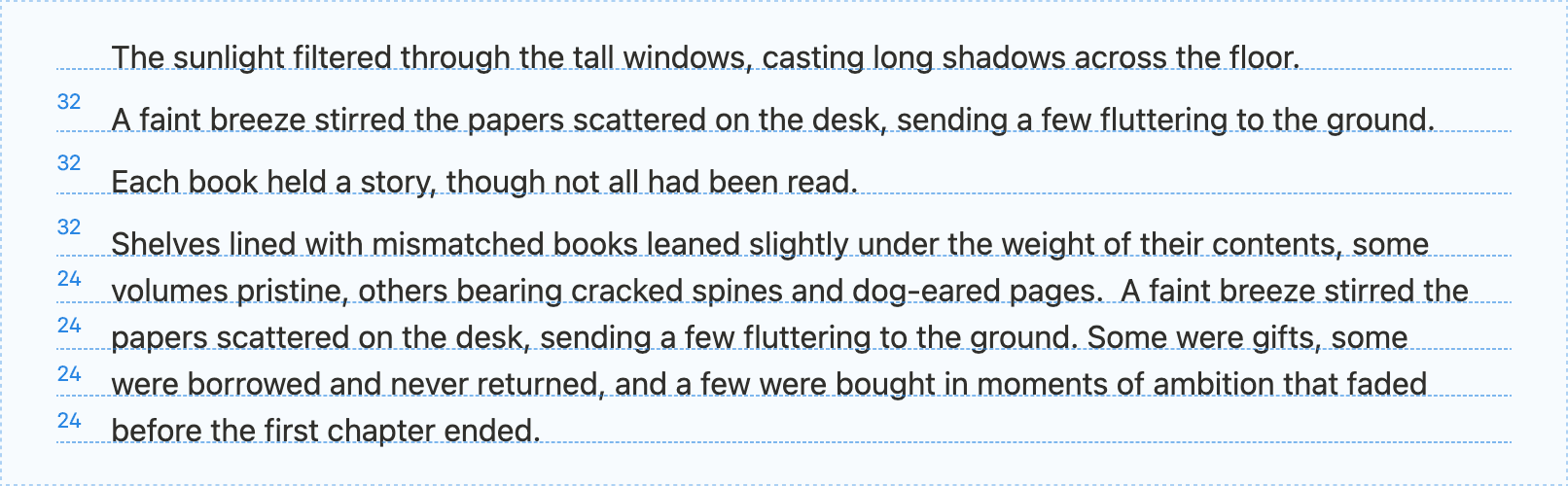
“Paragraph spacing” is the amount of space between paragraphs, and in Notion, this space is determined by the padding that surrounds blocks. “Single-line spacing” is determined by the line height of the text. Previously in Notion, there was little difference between the two:
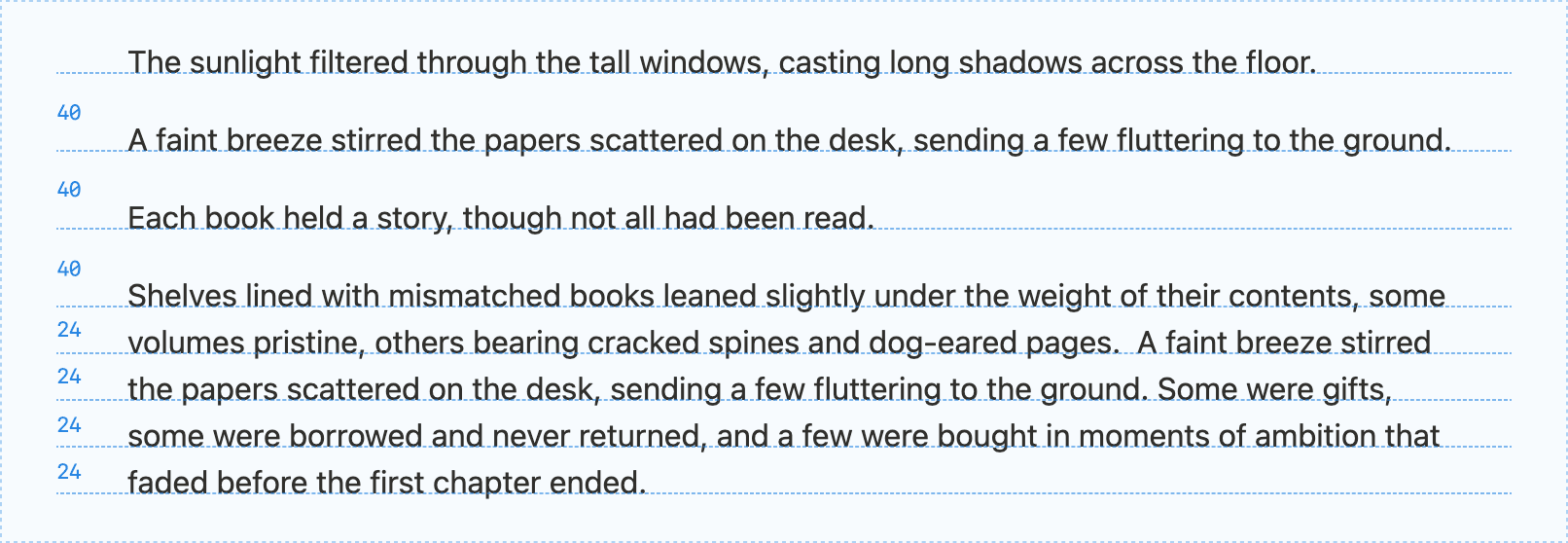
We get a lot of feedback about this, so while we were fixing spacing in the editor, we decided to evolve our paragraph spacing so readers can scan documents easily and more clearly see paragraph breaks:
We really liked this direction, but when we started playing around with it internally, we noticed one issue: Lists looked off. In Notion, every item in a list is its own block. These tend to be single-line items, like lists of linked pages or quick to-dos. If given the same padding as other blocks, they ended up having quite a bit of padding:
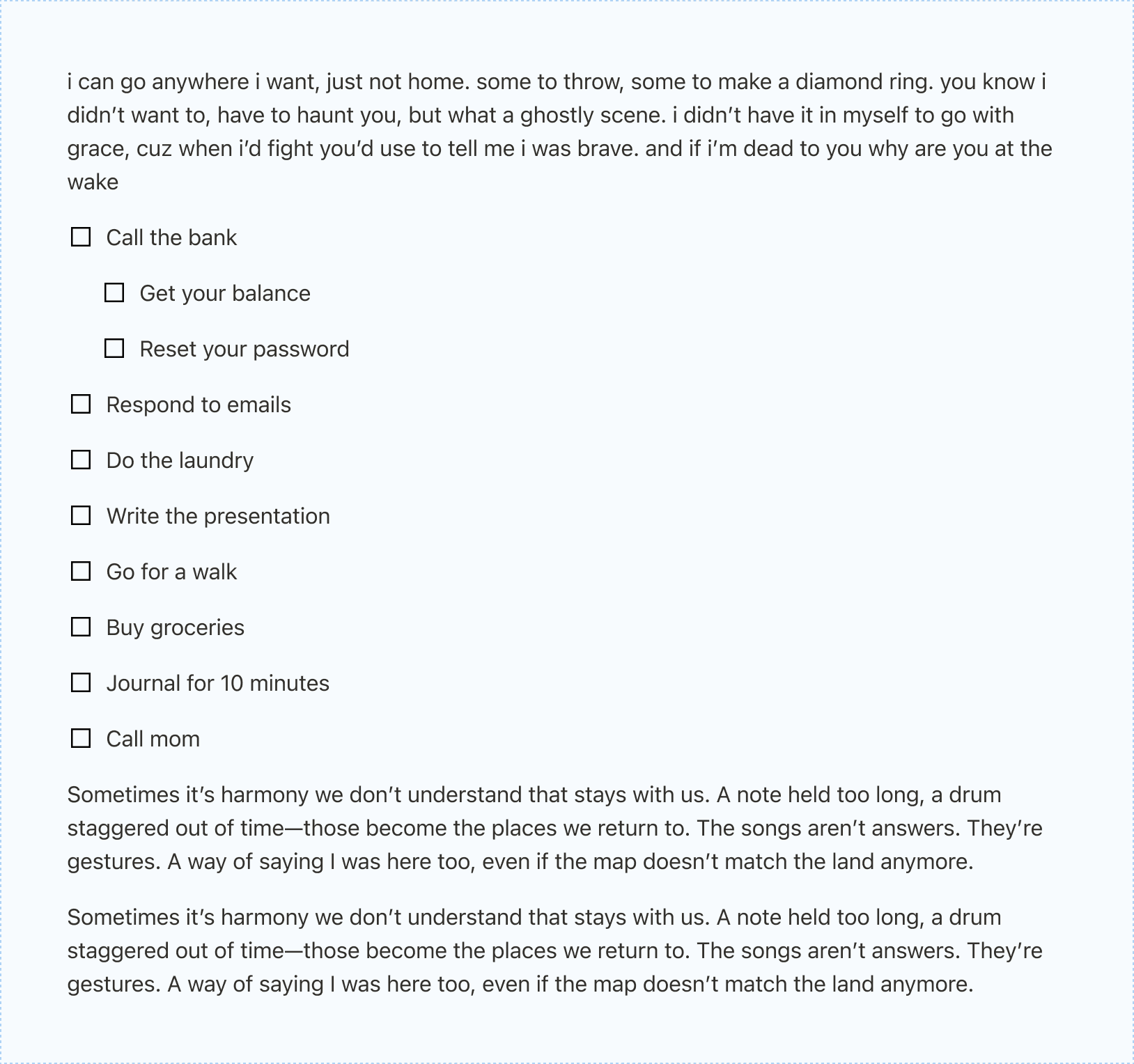
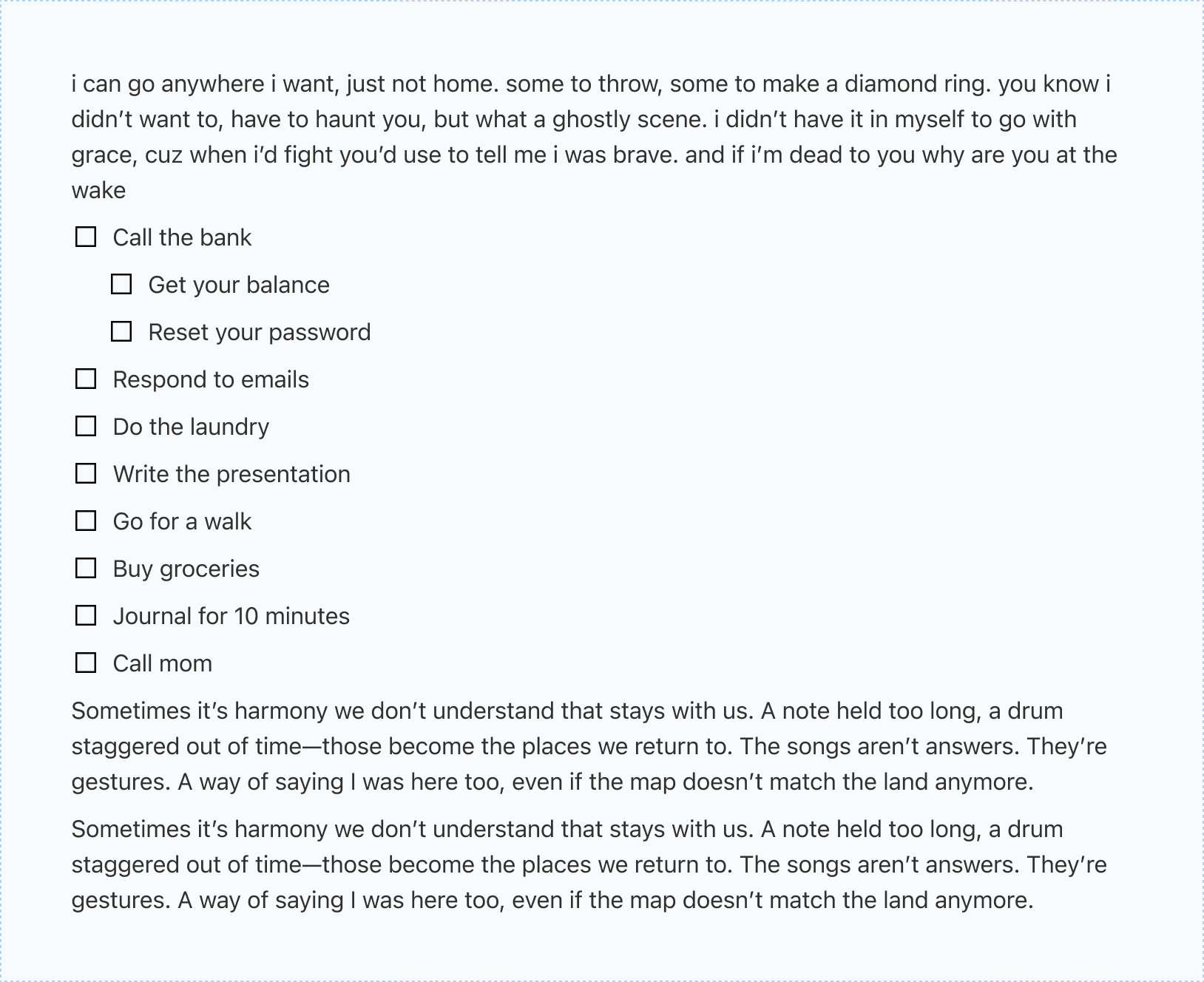
However, if we standardized the spacing between all blocks, lists felt compact but we ended up in the same place as before, with paragraphs feeling too tight.
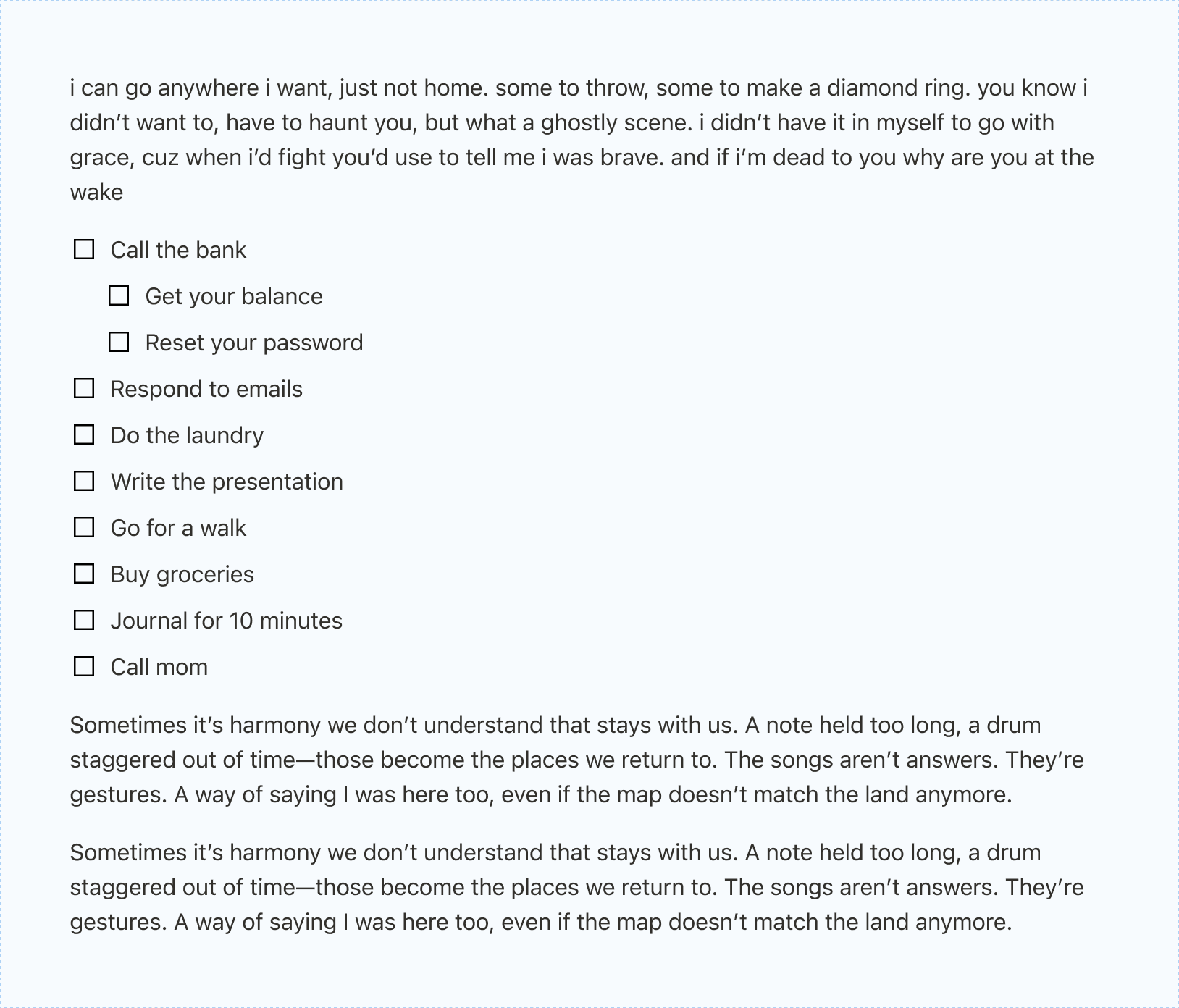
What we really wanted was a system that dynamically kept lists compact but allowed for paragraphs to have more breathing room. We also wanted to do this in a systematic, simple way. What rules would we need to achieve this aesthetic?
What do you really know about your neighbors?
Notion blocks are presented, generally, in a vertical stack. In the new design, we consider the blocks above and below any block “adjacent” to it, and allow for flexible manipulation of the padding depending on the neighbor. We apply this logic to anything we deem to be in a “list,” which includes checklists, bulleted lists, toggle lists, numbered lists, and lists of pages. When a list item’s neighbor is another list item, we reduce the padding to make them chunk together neatly and to make the page flow naturally.
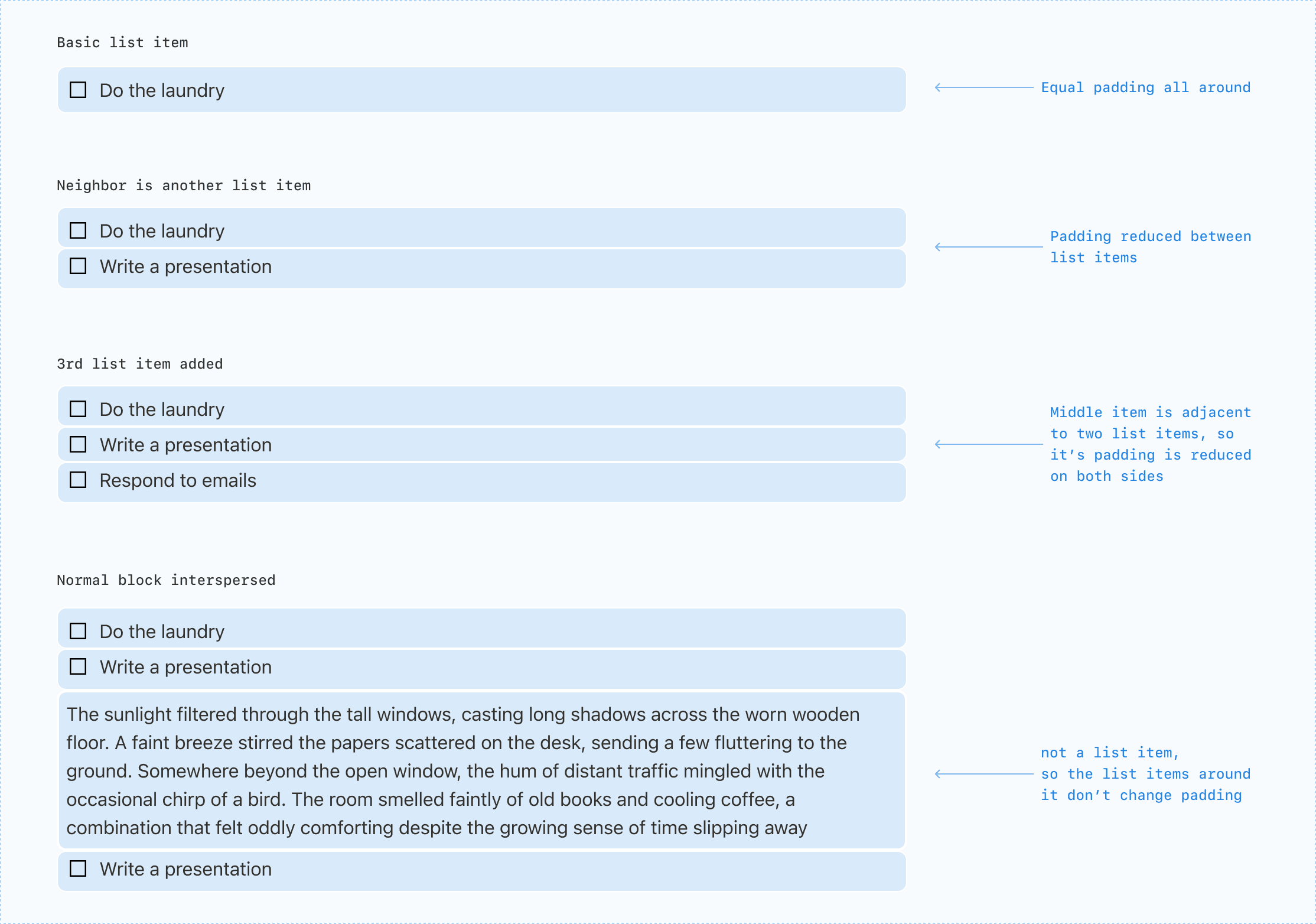
We began building out this system knowing that the adjacency rules would come in handy even if we didn’t apply them to spacing. But as pages evolved within Notion, we found we really loved it. The app started feeling more structured; the experience of writing (and reading) became even more pleasant. Over the coming weeks, we’ll roll it out across all pages, including lists, headings, and mixed-content documents.
Good tools get out of your way. This refresh is a small but foundational step toward pages that read cleanly, scale gracefully, and feel consistent no matter what you build. As you try it, we’d love to hear where it shines and where it doesn’t. The details matter, and with your feedback we’ll keep sanding the edges.
Thanks to Natalie, Julie, and Dami for all the hard work, and to the rest of the Notion team and community for all the feedback. Keep it coming!