أيقونة الاتصال

Streak Share

Overview

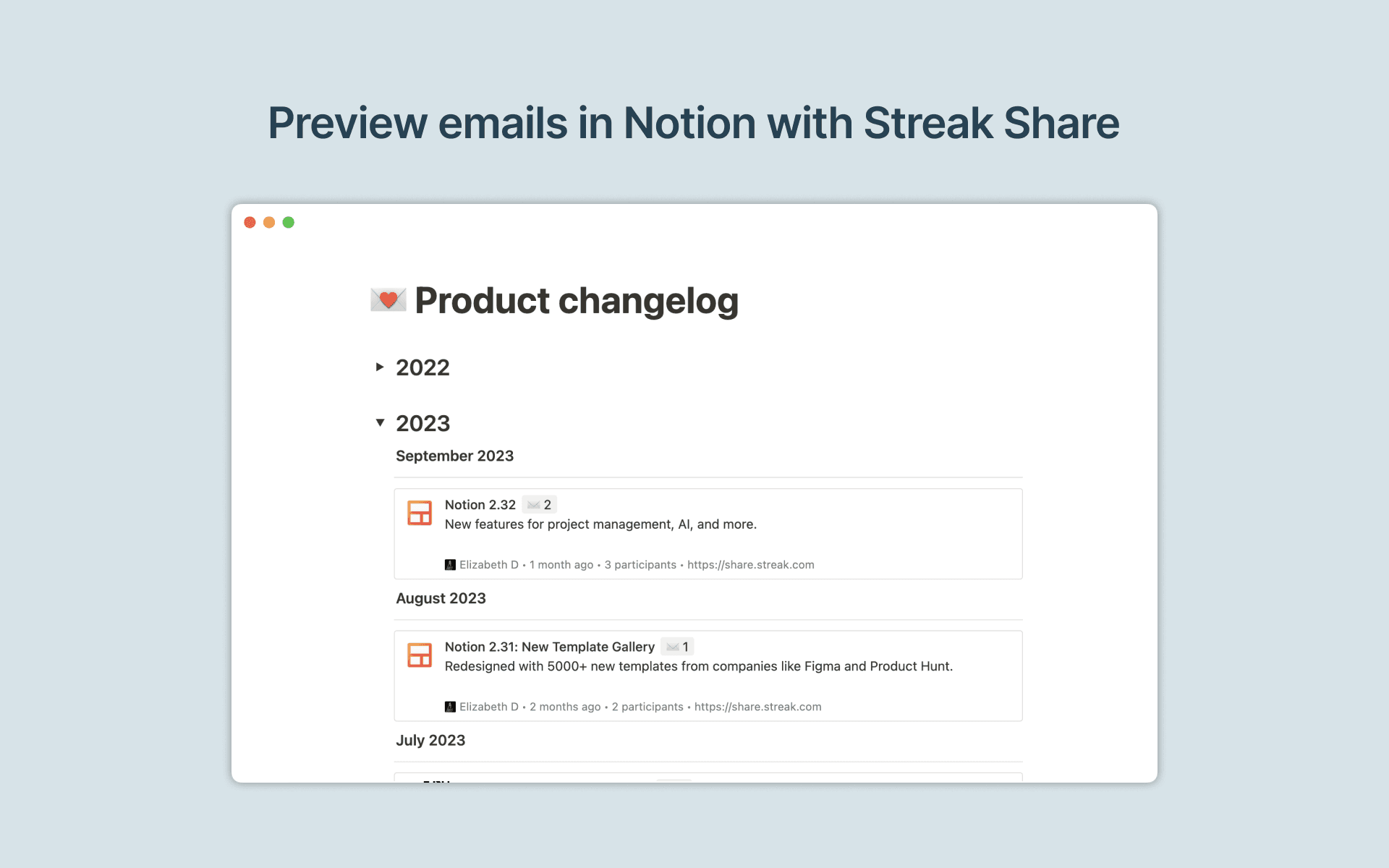
Streak helps you manage your sales workflows and customer relationships directly from your Gmail inbox. With this Streak link preview integration for Notion, you can get a link to any email thread from Gmail and paste it into Notion to preview email conversations and keep all your context in one place.

How to use

  • First, go through the installation flow for Streak Share

  • Go to any email thread in Gmail and click on the Get link button to copy the link to your clipboard

  • Paste the Streak Share link into Notion, then select Paste as preview. If it’s your first time using Streak Share with Notion, you will be prompted to authorize the integration. Follow the prompts to complete the authorization process. Once authorized, you will see a detailed preview of the linked content in Notion

جميع العلامات التجارية لأطراف ثالثة (بما في ذلك الشعارات والأيقونات) المشار إليها هنا هي ملك لأصحابها المعنيين. ما لم يُذكر صراحةً على أنه من صنع Notion، فإن التكاملات غير مدعومة أو مُدارة من قبل Notion. المنتجات أو الخدمات التابعة لأطراف ثالثة التي تتصل بها التكاملات تعتبر تطبيقات غير تابعة لـ Notion (كما هو محدد في اتفاقية الاشتراك الرئيسية لـ Notion أو شروط الاستخدام الشخصية، حسب الاقتضاء). من خلال تفعيل أي تكامل أو استخدام معرض تكاملات Notion، فإنك توافق على شروط معرض التكاملات الخاصة بـ Notion.